
Current Medicaid participation can support Lifeline eligibility, subject to the applicable verification process.
Free iPhone with Medicaid → Lifeline-supported wireless service
Get a Free Government iPhone With Lifeline-Supported Service
Check 2026 Lifeline eligibility for a free government iPhone or free iPhone offer through Gov iPhone. Review Medicaid, SNAP/EBT, SSI, ZIP and application steps.
Eligibility-basedSNAP, Medicaid, SSI or income may qualify
iPhone request optionsModel pages from iPhone 11 through iPhone 17
Provider-confirmed termsAvailability, condition and customer cost are reviewed
Secure Gov iPhone application. Do not enter passwords, payment-card details or one-time login codes.
*Free or $0 phone references describe Gov iPhone provider promotions for eligible customers when available. Lifeline does not guarantee a specific phone model.

Provider promotion$0 iPhonemay be available*
How Free Government iPhone and Free iPhone Offers Work in 2026
Eligible households may be able to request a $0 promotional iPhone with Lifeline-supported wireless service when the current Gov iPhone offer includes an iPhone for the customer location. Lifeline supports qualifying communications service. The iPhone is a separate provider promotion, so model, condition, service area, customer cost and availability are confirmed during application review. Free government phone is a broader supporting term, while this homepage is focused specifically on iPhone eligibility and application intent.
Low-income iPhone eligibility
Check eligibility →Low-Income iPhone Eligibility: Medicaid, SNAP, SSI & Income
Lifeline eligibility may be based on participation in a qualifying program or on household income at or below 135% of the Federal Poverty Guidelines. SNAP, Medicaid and Supplemental Security Income are recognized federal qualification routes. The Lifeline decision and the separate iPhone promotional offer are reviewed as different parts of the process.
SNAP is a Lifeline qualifying program. An EBT card commonly reflects SNAP participation but is not itself the Lifeline benefit.
Free iPhone with EBT or SNAP →Supplemental Security Income is a recognized Lifeline qualification route.
Review Lifeline eligibility →Households may also qualify through the current Lifeline income threshold.
Check the income route →State, ZIP and Lifeline verification
Lifeline Eligibility and iPhone Availability by State & ZIP
State and ZIP code help Gov iPhone review service availability and the provider offer available for a customer location. They do not guarantee a specific iPhone model. Lifeline eligibility is determined through the applicable verification process. USAC operates the National Verifier as the centralized Lifeline eligibility system in most states, while Oregon and Texas use state-specific eligibility processes.
Popular iPhone request pages
View All iPhone Options Available iPhone Models and Current Device Options
Compare iPhone 11 through iPhone 17 request options. The exact model, condition, service area, customer cost and availability are confirmed during provider review.


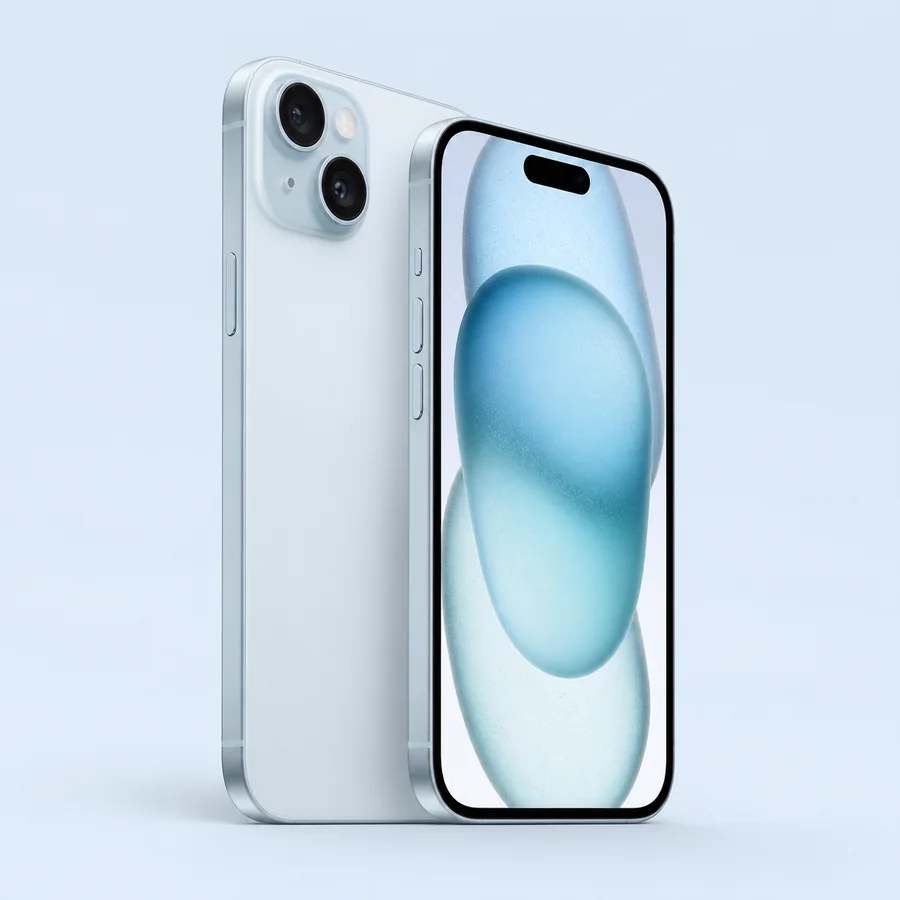
*A free or $0 device is a separate Gov iPhone provider promotion when available for an eligible application. Lifeline does not guarantee a specific iPhone model or device inventory. Device images are representative. Exact model, condition, availability and customer cost are confirmed with the current provider offer.
Free iPhone application
Free iPhone Application Process: Eligibility, ZIP & Application
The application path keeps eligibility, location, iPhone preference and provider review connected without treating a requested model as guaranteed inventory.
- 1State and ZIPProvide the service location so Gov iPhone can review the applicable service area and offer.
- 2Qualification routeSelect a qualifying program such as Medicaid, SNAP or SSI, or use the household-income route.
- 3Contact and iPhone preferenceProvide your name, email, phone, service address and preferred iPhone family.
- 4Submit securelyGov iPhone receives the application for provider review and issues a reference number.
- 5Confirm the current offerEligibility, service availability, iPhone model, condition, customer cost and fulfillment terms are confirmed before fulfillment.
What You May Need for Your iPhone Application
If the applicable Lifeline process cannot verify information automatically, you may be asked for proof of identity, address, qualifying-program participation or household income. Use only the authorized secure document process when documents are requested.
Keep sensitive records out of public forms
Do not enter Social Security numbers, passwords, payment-card details or full benefit documents in the public application form.
Eligibility verification can require additional proof
USAC may request documents when automated eligibility or identity checks do not confirm the submitted information.
Device details are confirmed separately
The iPhone model, condition, customer price, service area and availability come from the current Gov iPhone provider offer.
Secure free iPhone application
Start your Free iPhone Application
Your information is sent securely to Gov iPhone for application review. Do not enter a Social Security number or upload benefit documents in this application form.
Real iPhone customer experiences
Read all customer reviews →What Gov iPhone customers shared about their iPhone experience
Read genuine feedback from customers who shared an iPhone experience with Gov iPhone. Individual model and offer outcomes can vary.
★★★★★
Real customer reviewAmazing Experience - Got My iPhone 14!
I had a great experience with Gov iPhone. I received an iPhone 14 at no cost through the available offer, and I’m really happy with the phone and the overall service. The process was easy to follow, and everything went smoothly. The phone arrived in great condition and works perfectly. Thank you so much for the excellent service. I really appreciate it!
★★★★★
Real customer reviewVery Happy With My iPhone 12
I had a really good experience and received my iPhone 12 successfully. The process was straightforward, and I’m very happy with the phone. It works great and was definitely worth the time. Thank you for making the whole experience easy!
These are individual customer experiences shared with Gov iPhone. Device model, availability, condition, customer cost and offer terms can vary by application.
Customer support
Contact Gov iPhone →Gov iPhone Customer Support
Enrollment, application, device, shipping and activation questions can be routed to the appropriate Gov iPhone team. Existing applicants can use their reference number to check application status.
Enrollment & Application
Help with eligibility-route questions, application details and iPhone preferences.
Contact enrollment →Application Status
Use the Gov iPhone reference number and the same email submitted with the application.
Check status →Device & Activation
Get help with the confirmed iPhone, SIM or eSIM, activation and connectivity questions.
Technical support →Free iPhone and Lifeline Eligibility Questions
Can I get a free government iPhone through Lifeline?+
An eligible customer may be able to receive a $0 promotional iPhone when the current Gov iPhone provider offer includes one for the customer location. Lifeline supports service and does not itself guarantee an iPhone.
Does Medicaid qualify for a free iPhone?+
Medicaid is a recognized Lifeline qualifying program. After eligibility is verified, the available iPhone model and customer cost depend on the separate current Gov iPhone offer.
Can SNAP or EBT help me qualify for a free iPhone?+
SNAP is a recognized Lifeline qualifying program. An EBT card may reflect SNAP participation. The iPhone promotion remains a separate provider offer and is confirmed during application review.
Does my ZIP code determine which iPhone I can get?+
Your location can affect service availability and the provider offer, but a ZIP code alone does not guarantee a particular iPhone model or $0 price.
What is the National Verifier?+
The National Verifier is USAC's centralized Lifeline eligibility system used in most states. Oregon and Texas use state-specific eligibility processes.
Will I receive a reference number after applying?+
Yes. A successful Gov iPhone application submission creates a reference number that can be used with the submitted email address to check application status.
Program information from primary sources
Federal program claims on Gov iPhone are supported with USAC and Lifeline Support references so customers can distinguish official Lifeline rules from provider-specific free phone and service offers.